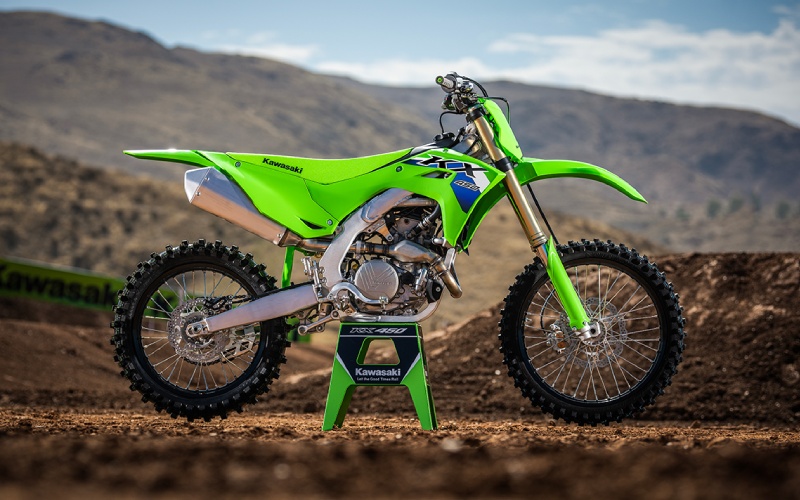
AEO Powersports – Smart Setup for the 2026 Kawasaki KX™450 — RIDEOLOGY THE APP KX™ Tips for Phoenix, AZ Riders
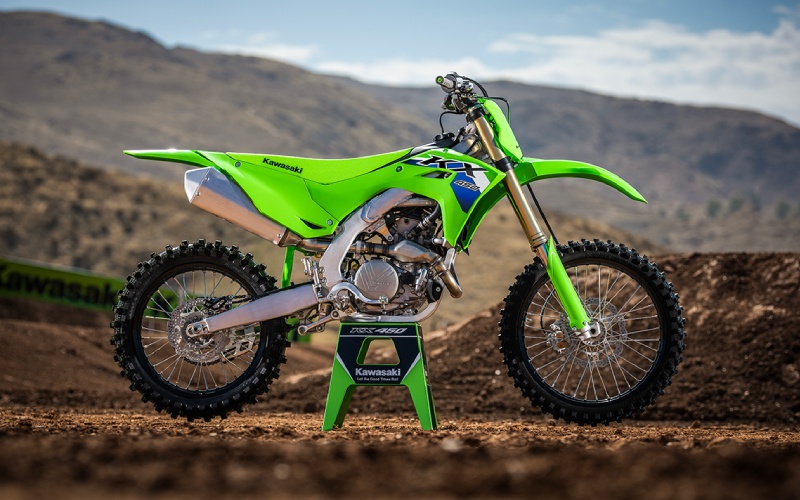
The 2026 Kawasaki KX™450 arrives with electronics that actually help you ride faster, not distract you. RIDEOLOGY THE APP KX™ ties power delivery, traction support, and launch settings into a convenient smartphone interface, making your notebook of clicker changes and gearing choices cleaner and more consistent. Below is a practical, race-day approach to using the app and the bike’s on-bar controls to build confidence on Phoenix-area tracks—especially as surfaces evolve from morning moisture to late-session square edges.
First, think of your setup as a loop: observe, adjust, verify. Start with a baseline Power Mode and a KTRC setting that matches expected traction. As the gate practice progresses and the track dries, refine the fork and shock damping in small steps (a click or two) and align Power Modes to the current bite of the dirt. Use the app to log each change with lap-time notes and rider feel. Over time, your digital notebook becomes a track-specific guide—what worked on fast hardpack, what calmed chatter on braking bumps, and which gearing cleaned up exits on long, sweeping corners.
- Power Modes: Use a smoother map for slick corners early, then swap to a more aggressive map when traction improves or when you need a stronger drive for big jumps out of ruts.
- KTRC: Keep support active when the track is polished or choppy, then dial it back for maximum drive once the surface compacts and lines get predictable.
- Launch Control Mode: Enable for gate practice to learn your preferred rpm and clutch release timing, then capture notes in the app so your routine is repeatable on race day.
- Suspension Baseline: Record fork and shock clicks, sag, and temperature conditions; use the same scales each time so comparisons remain apples-to-apples.
RIDEOLOGY THE APP KX™ is most valuable when it becomes your habit. Build track profiles with starting points for Power Modes, KTRC support, and standard suspension clicks. During practice, add quick notes—bike felt nervous on corner entry, rear stepped out on acceleration chop, or front pushed at mid-corner. Tie those observations to small, targeted changes. For example, if the front pushes under braking, log an incremental increase in fork compression. If acceleration over chatter makes the rear dance, note a small rebound change. After a few sessions, you’ll have a clear cause-and-effect map that’s more dependable than memory alone.
- Pair your phone and verify RIDEOLOGY THE APP KX™ connection before unloading the bike.
- Set a sag number and record it alongside tire pressure, temperature, and surface notes.
- Pick a starting Power Mode and KTRC level, then mark your clicker settings.
- Run short sessions and log lap times with comments on corner entry, mid-corner, and exit behavior.
- Adjust one variable at a time; re-run and compare notes in the app.
- Save a final setup profile per track so you can start close on your next visit.
As a local resource, AEO Powersports is serving Phoenix, Waddell, and Avondale with insight on how to tie electronics, gearing, and chassis setup into a single, repeatable routine. Keep the big picture in mind: electronics complement, not replace, fundamentals. Smooth throttle hand, consistent line choice, and proper body position still win the day. The KX™450’s electronics simply help keep the bike composed while you focus on technique—cutting friction in your process so every change has a clear purpose and measurable result.
Frequently Asked Questions:
Can I change Power Modes on the fly during practice?
Yes—use the handlebar control to select Power Modes between sessions or when safely stopped, then capture your impressions in the app so the change is part of your data trail.
Does KTRC reduce power too much on loamy tracks?
Not when set appropriately; start with mild support to smooth wheelspin on choppy exits, then reduce the intervention as traction improves and ruts form predictable lines.
Do I need the app to benefit from electronics?
No—the bike’s on-bar controls are intuitive. The app adds structure for recording settings and feedback so you can repeat what works and avoid guesswork next time.
What should I log besides clicker counts?
Include sag, tire pressure, temperature, and surface notes. Add lap times and comments on corner phases to connect changes with real-world feel and results.